Doc components
Embed API documentation in your existing site
Add an interactive API reference to a page you already own. Use one custom element for the whole reference, or compose a page from individual operations and schemas.
- Your framework staysStandard custom elements work in plain HTML, a CMS, React, Vue, Svelte or Angular. No framework bindings to install.
- Readable before JavaScript runsPrerendered with declarative shadow DOM, the reference is there for readers and search engines before JavaScript runs.
- Styled like the rest of your siteCSS custom properties and
::part()style the components. Light and dark palettes can follow the system setting.
Your page, with the reference inside it
The elements sit between your own paragraphs, in your layout and your navigation. One element renders the whole reference; the parts compose a page of your own.
A complete reference in one tag
After importing the components, add <apg-api-reference> to your page. It renders search, navigation, authentication, operations, schemas and Try it out. Here it reads an OpenAPI document.
<apg-api-reference spec-url="/openapi.yaml"></apg-api-reference>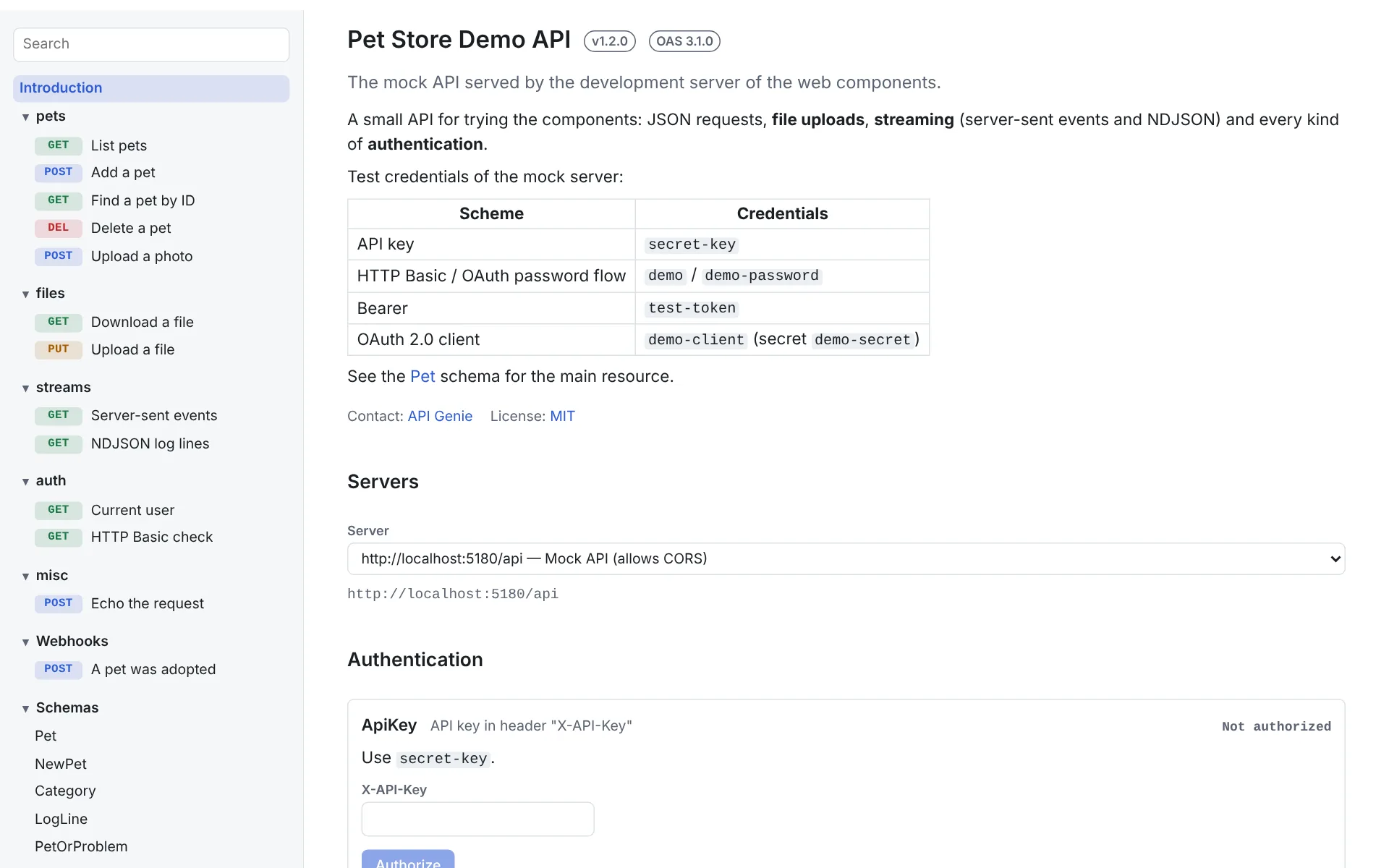 Open the screenshot at full size
Or your own page, from the parts
Place an operation or schema beside your own explanations. Components for the same document share the selected server and credentials, including the Try it out form.
<apg-spec spec-url="/openapi.yaml">
<apg-overview></apg-overview>
<h2>Quick start</h2>
<apg-auth schemes="ApiKey"></apg-auth>
<apg-operation operation-id="getPet" try-it="none"></apg-operation>
<apg-try-it operation-id="getPet"></apg-try-it>
<apg-schema name="Pet" depth="2" with-example></apg-schema>
</apg-spec>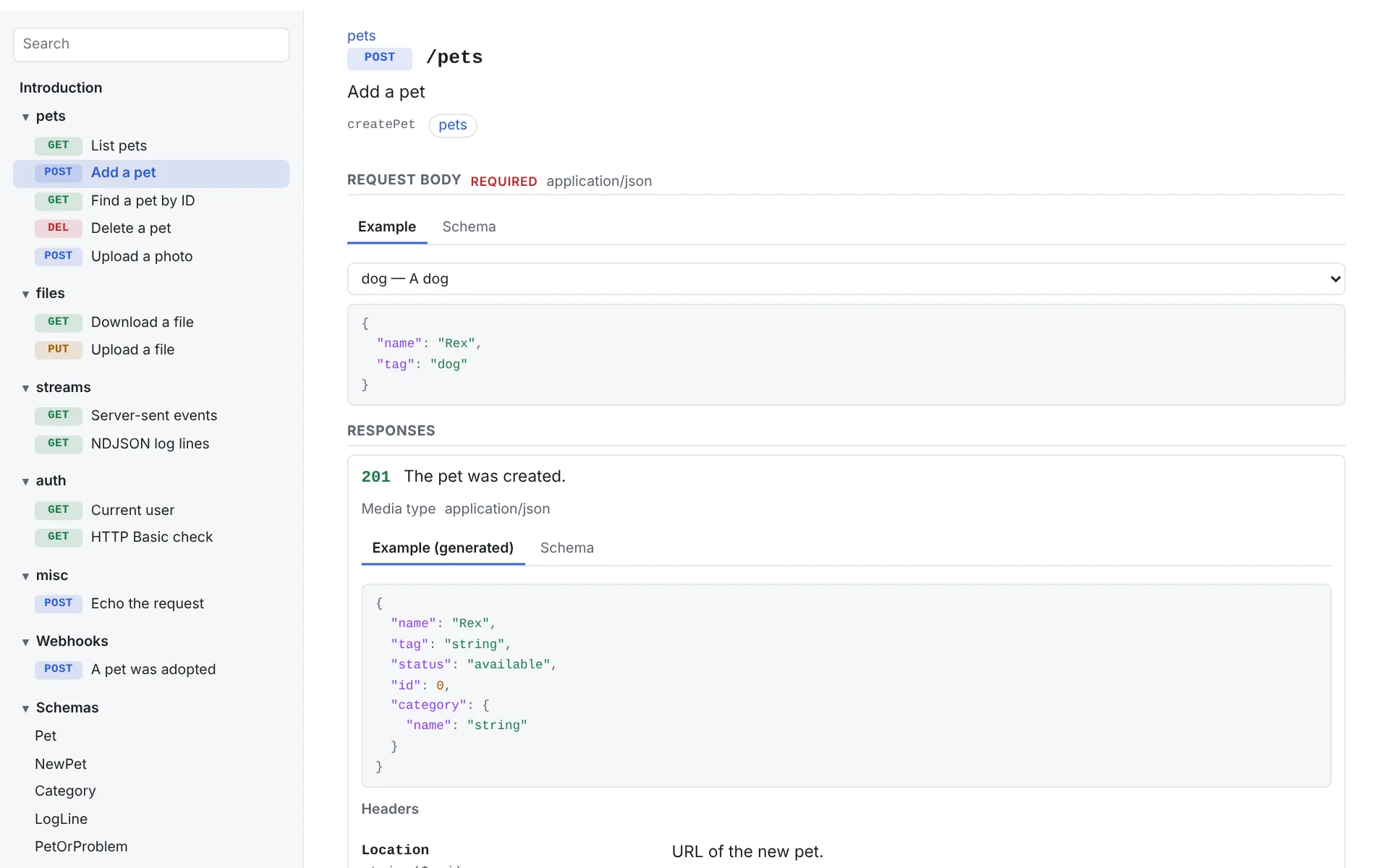 Open the screenshot at full size
What it covers
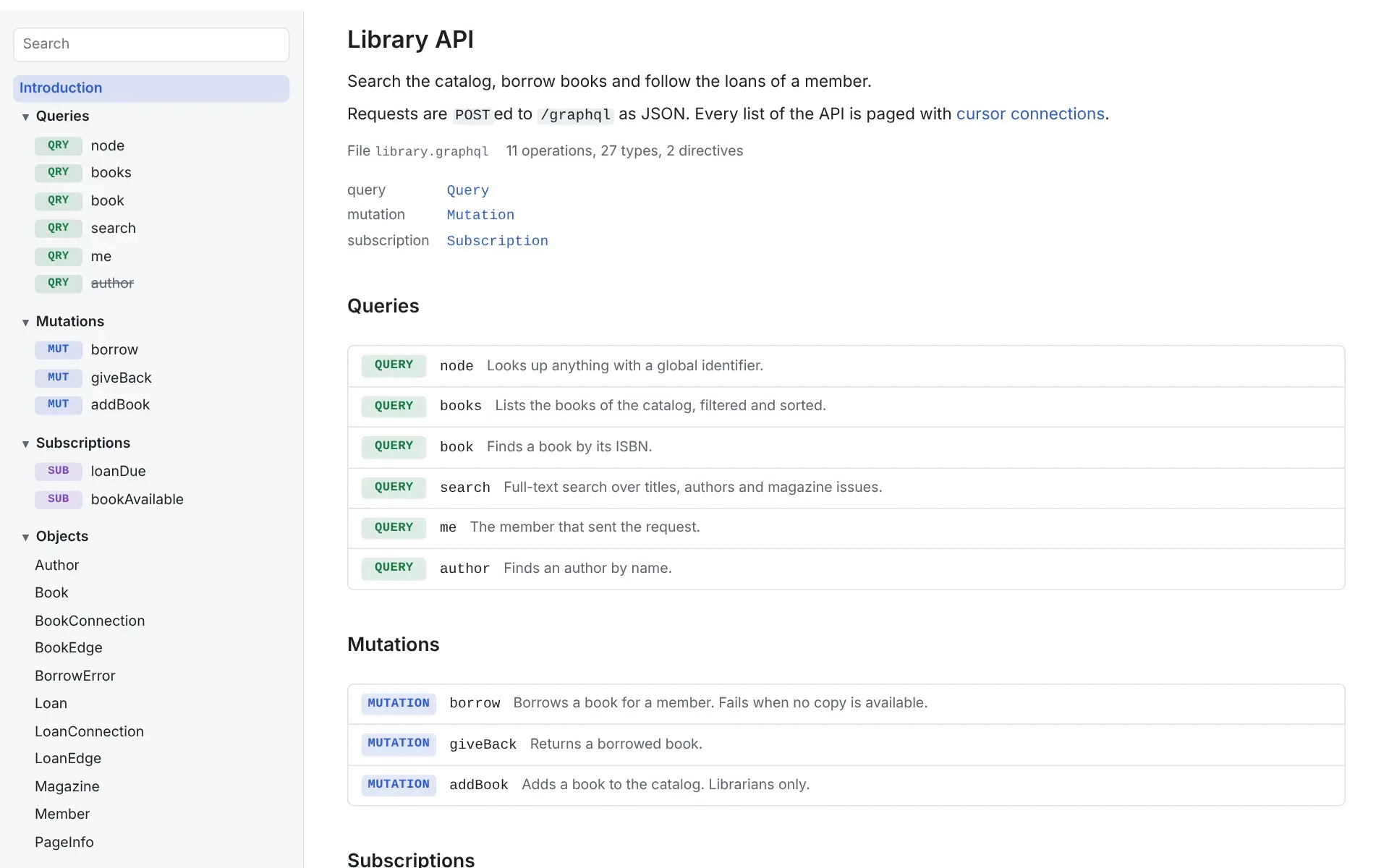
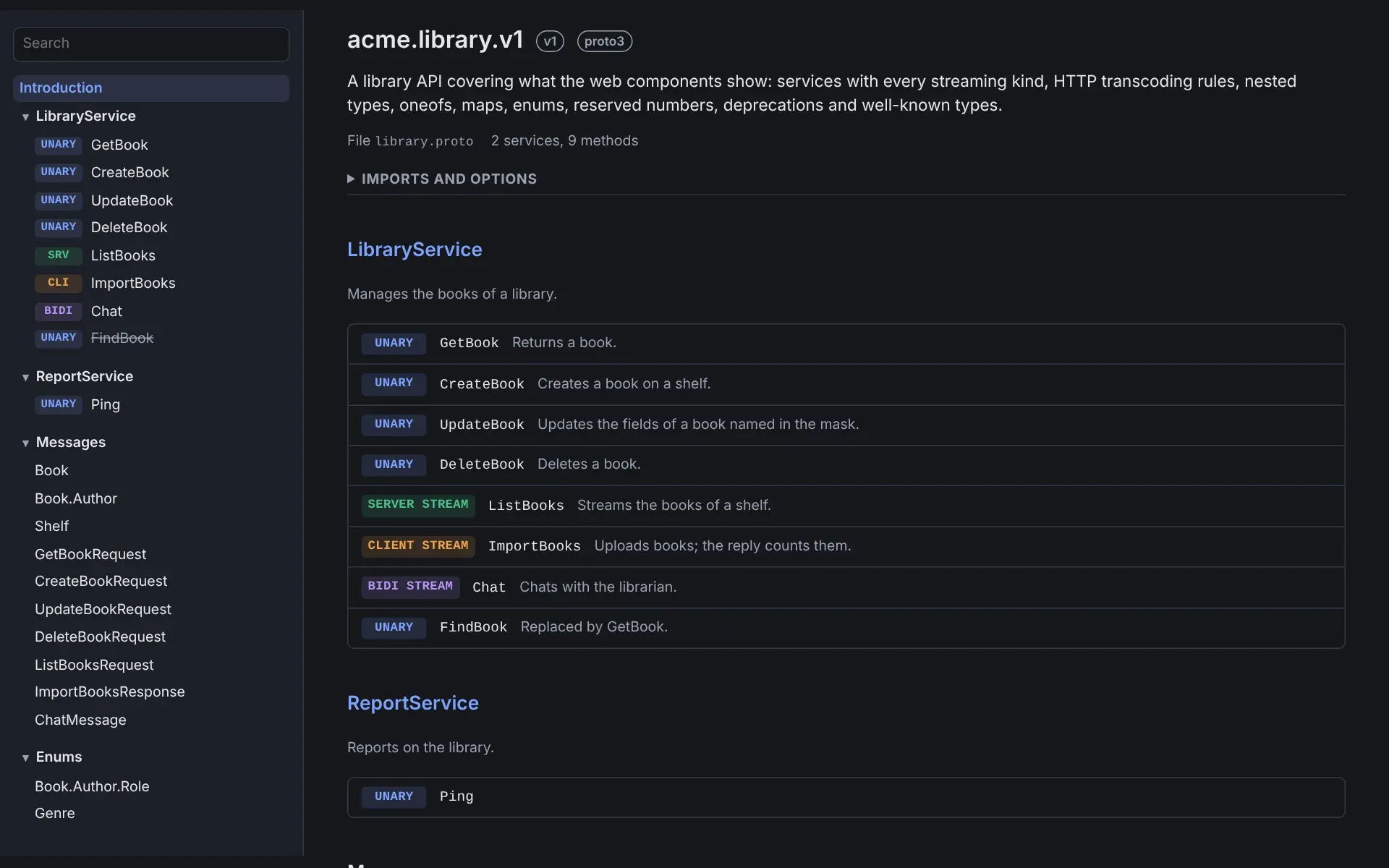
AsyncAPI, Protobuf and GraphQL documents are read by the same parser as the CLI, compiled to WebAssembly.
- OpenAPI 3.0 and 3.1Operations, schemas, webhooks, Try it out with API keys, Basic and Bearer auth, OAuth 2.0 and OpenID Connect
- Swagger 2.0Its own elements, picked by the reference automatically
- AsyncAPI 3.0 and 3.1Servers, channels, operations, messages and bindings
- Protobuf and gRPCServices by streaming kind, messages, enums, grpcurl and client samples
- GraphQLQueries, mutations, subscriptions, types and Try it out
Install
Install @mykulyak/apigenie-docs, then import it with import "@mykulyak/apigenie-docs". To load one element, use its entry point, such as import "@mykulyak/apigenie-docs/components/apg-operation".
npm install @mykulyak/apigenie-docsGenerate a standalone documentation site instead
Use apigenie-generator docs when you want a complete static site rather than components for an existing page. It uses these components and adds translations, Git changelogs and example files.
apigenie-generator docs openapi.yaml events.asyncapi.yaml library.proto schema.graphql -o docs
cd docs && npm install && npm run build